> ## Documentation Index
> Fetch the complete documentation index at: https://ionet-cca8037f-uc-362-deprecate-ray.mintlify.site/llms.txt
> Use this file to discover all available pages before exploring further.
# Earnings & Rewards
> The Earnings & Rewards tab provides transparency and granular insights into your earnings and the jobs your devices have served.
### Earnings and Rewards Tab
To access the Earnings and Rewards tab, go to IO Worker and click the **Earnings & Rewards** tab in the upper-left corner.
 ### Rewards and Jobs
* Earnings from Block Rewards in \$IO coins
* Earnings from Jobs in \$IO coins
* Total time your workers were active.
* Number of jobs processed by your workers.
### Rewards and Jobs
* Earnings from Block Rewards in \$IO coins
* Earnings from Jobs in \$IO coins
* Total time your workers were active.
* Number of jobs processed by your workers.
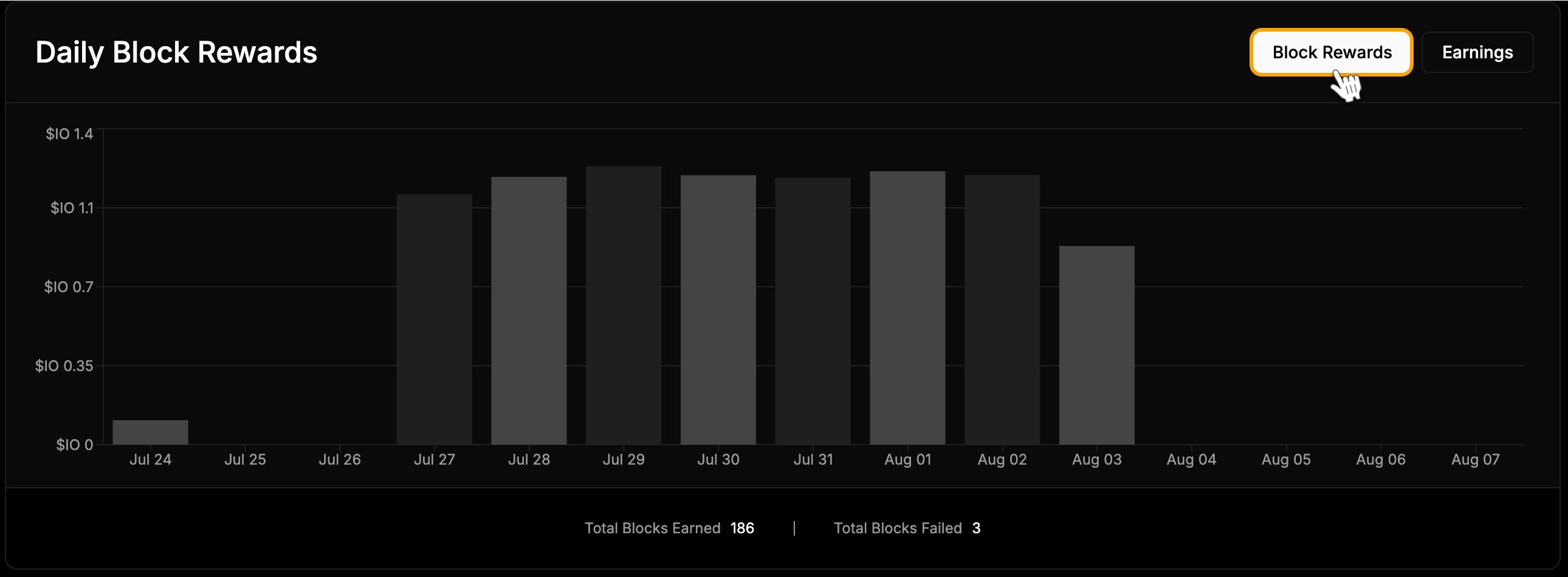
 ### Daily Block Rewards
The graph displays your daily earnings in \$IO coins from Block Rewards. Below the graph, you can see:
* Total Blocks Earned
* Total Blocks Failed
### Daily Block Rewards
The graph displays your daily earnings in \$IO coins from Block Rewards. Below the graph, you can see:
* Total Blocks Earned
* Total Blocks Failed
 ### Daily Earnings
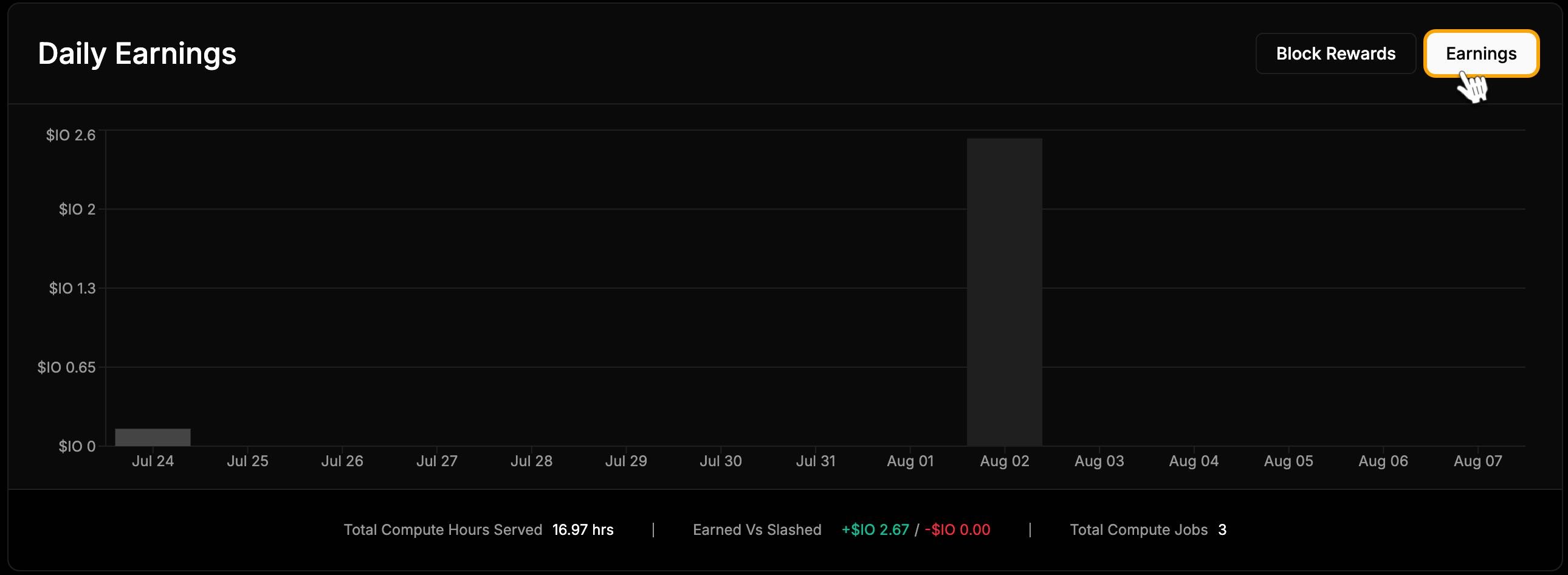
In the top-right corner of the chart, you can **switch to the Earnings chart.** This graph displays your daily earnings in \$IO coins from common jobs performed by your workers. Below the graph, you can find:
* Total Compute Hours Served
* Earned vs. Slashed
* Total Compute Jobs
### Daily Earnings
In the top-right corner of the chart, you can **switch to the Earnings chart.** This graph displays your daily earnings in \$IO coins from common jobs performed by your workers. Below the graph, you can find:
* Total Compute Hours Served
* Earned vs. Slashed
* Total Compute Jobs
 ### Clusters
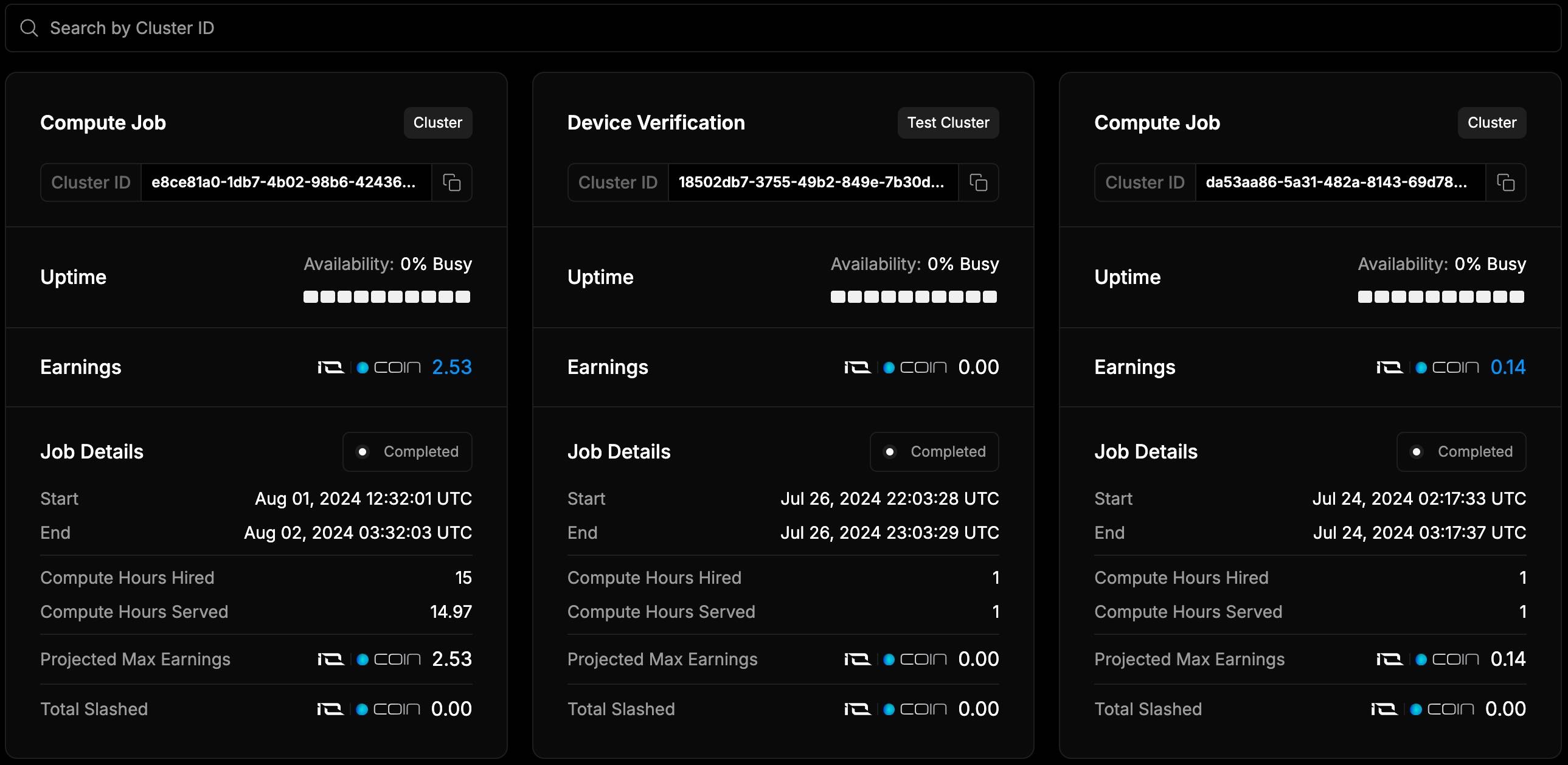
The list shows the clusters your workers are part of and provides detailed earnings information, including:
* Earnings in \$IO coins
* Projected Max Earnings
* Total Slashed
Click on a specific cluster to view its details. You can also search by Cluster ID to find information for that cluster.
### Clusters
The list shows the clusters your workers are part of and provides detailed earnings information, including:
* Earnings in \$IO coins
* Projected Max Earnings
* Total Slashed
Click on a specific cluster to view its details. You can also search by Cluster ID to find information for that cluster.
 ### Job Payments
**Important**: If the job is completed within a day, **payment is made immediately**. For jobs that last multiple days, **payment is made at the end of each day**. A few points:
* If your Worker participated in a job and remained available throughout, it **will receive payment**.
* If the Worker was **unavailable** during the cluster process, it **will not receive payment for the whole time**.
* If the Worker **stops within the first hour** of connection, **no payment will be made for that time**.
You can search for a transaction by entering the Job ID number and filter transactions by date within any permitted period. Clicking on a specific transaction will open a page with detailed information about it.
### Job Payments
**Important**: If the job is completed within a day, **payment is made immediately**. For jobs that last multiple days, **payment is made at the end of each day**. A few points:
* If your Worker participated in a job and remained available throughout, it **will receive payment**.
* If the Worker was **unavailable** during the cluster process, it **will not receive payment for the whole time**.
* If the Worker **stops within the first hour** of connection, **no payment will be made for that time**.
You can search for a transaction by entering the Job ID number and filter transactions by date within any permitted period. Clicking on a specific transaction will open a page with detailed information about it.
 ### View Transactions
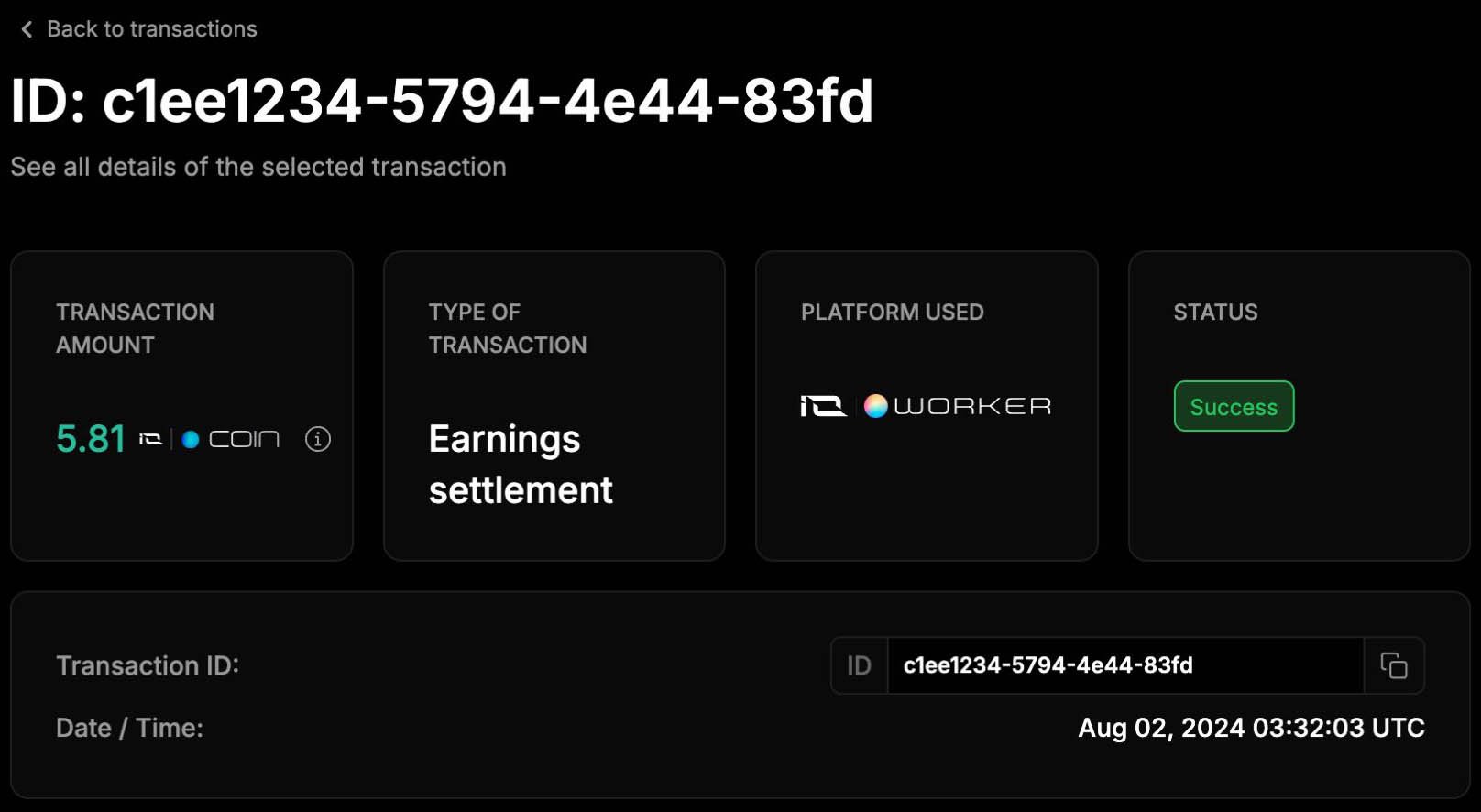
The transaction page shows: Amount and type of currency received
* Transaction type
* Platform used
* Status
* Date
* Transaction ID
### View Transactions
The transaction page shows: Amount and type of currency received
* Transaction type
* Platform used
* Status
* Date
* Transaction ID